
Modular gateway for sports facilities
SmartClub G1
Local intelligence.Central control.
SmartClub G1 connects booking software to building systems. It processes booking data locally (edge computing) and controls access, lighting, climate and energy through connected installations. The Eventlogic Cloud handles synchronisation, monitoring and updates.
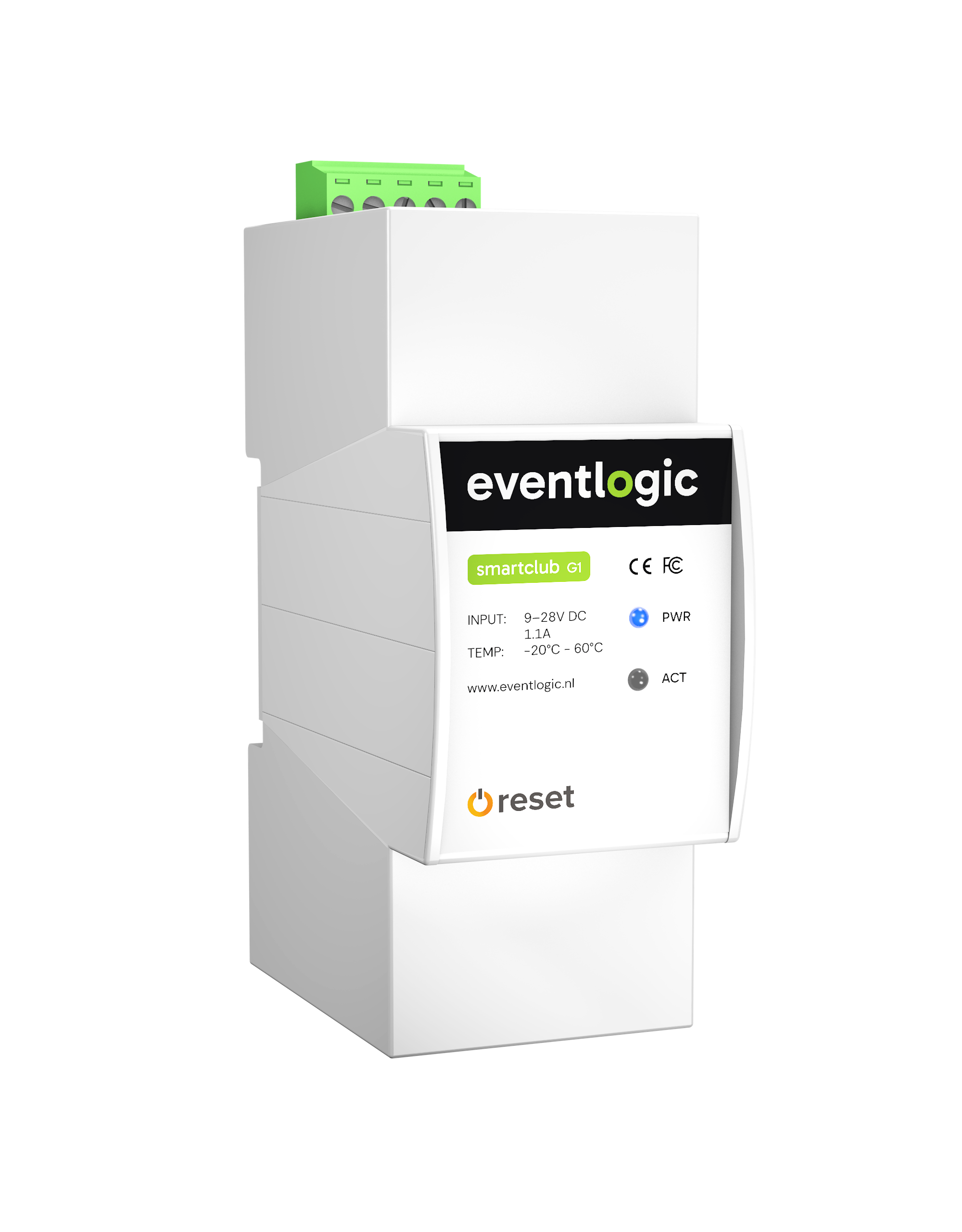
Local processing and control from the installation cabinet.
SmartClub G1 at a glance.
Local control, even offline
Booking data is buffered locally. Stored scenarios and schedules keep running during a temporary internet outage.
Connect to building systems
Connect SmartClub G1 to a building management system, a bridge or a custom integration. Exchange data via MQTT and HTTP.
Secure remote access
Tunnel connectivity without open ports, with encrypted communication and secure firmware updates.
Synchronisation and monitoring
The Eventlogic Cloud synchronises booking data and monitors SmartClub G1 gateways. Synchronisation resumes once the connection is restored.
Automatic recovery and timekeeping
A hardware watchdog restarts SmartClub G1 after system faults. The real-time clock has battery backup to preserve time during power outages.
Compact industrial hardware
DIN-rail mounting in the installation cabinet: 2 modules wide, with Ethernet, eMMC storage and a 9–28 V DC power supply.
Eventlogic platform architecture
From booking data to local control.
The cloud collects booking data from connected software. SmartClub G1 buffers and processes that data on site, connecting it to a building management system, a bridge or a custom integration.
Software as the data source











These software platforms supply the data used by the Eventlogic Cloud.
Eventlogic Cloud
Central environment
The Eventlogic Cloud collects and synchronises booking data from different software platforms. The SmartClub G1 gateways are monitored from the cloud to detect faults and manage updates.
SmartClub G1
- Real-time processing
- Caching & buffering
- Tunnel connectivity
On site · SmartClub G1 in the installation cabinet
Booking data is buffered and processed locally here. SmartClub G1 in the installation cabinet runs scenarios and schedules, even if the internet connection temporarily drops.
Building management system (BMS)
Connection to the installation for the required building functions.
- Lighting
management - Access control
- Climate control
- Energy
management - Battery
management
- Lighting
Bridge
Universal integration for exchanging data with other systems.
Universal integration
- HTTP
- MQTT
- API
Custom integration
A dedicated integration for a specific application. This requires additional development.
What happens if the internet connection drops?
Connected
The cloud and SmartClub G1 synchronise continuously. Control of the site runs on SmartClub G1.
Temporarily offline
The local buffer keeps stored booking data available. Stored scenarios and schedules continue to run. New or changed cloud data arrives once the connection is restored.
Connection restored
Synchronisation with the cloud resumes automatically. The locally available data is updated again.
What does SmartClub G1 do?
One gateway for the systems on your site.
Access by booking or permission
Automate access for individual bookings, members, staff and suppliers. SmartClub G1 connects booking data and access rights to the connected access control system.
Lighting and climate based on use
Control building functions according to the schedule. Lighting follows the booking; climate control is connected through the building management system.
Energy and battery use
Connect energy management to the installation. Optimise battery use based on the energy forecast, depending on the connected energy and battery system.
Integrations
Booking software as the data source.
Eventlogic collects the data from your club software in the cloud and synchronises it with SmartClub G1. The schedule becomes available locally to the connected systems.
Available data and functions vary by software partner and integration.
Specifications
Built for the installation cabinet.
Industrial components, DIN rail mounting and built-in protection for long-term use. Hardware characteristics and power protection at a glance.
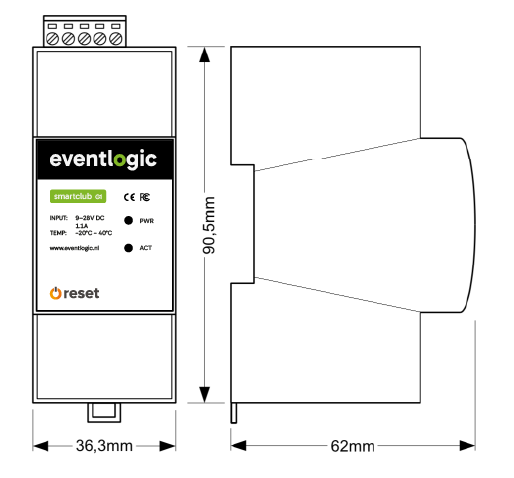
Dimensions and views
Front and side views of the SmartClub G1 for DIN-rail mounting in the installation cabinet.
90.5 mm high · 36.3 mm wide · 62 mm deep.
Hardware & mounting
- Mounting
- 2 DIN modules, omega rail mount
- Network connection
- Ethernet
- Memory
- Embedded eMMC flash
- Timekeeping
- Real-time clock (RTC) with battery backup
- System monitoring
- Hardware watchdog
- Temperature range
- −20 °C to +40 °C
- Compliance
- CE / FCC / IC compliant
Power & protection
- Input voltage
- 9–28 V DC
- Surge protection
- Up to ±500 V / 2 Ω (1.2/50 μs)
- Reverse polarity
- Protection with resettable fuses
- Overcurrent protection
- 1.1 A resettable fuse; max. 1.9 A continuous, peaks up to 3 A
- Overvoltage
- Overvoltage protection
- Temperature protection
- Thermal shutdown
Stability & recovery
Designed to keep working locally.
Alongside its offline buffer, SmartClub G1 includes system monitoring, timekeeping and controlled recovery features. The battery backup maintains the clock during a power outage; it does not power the gateway.
Hardware watchdog
Monitors operation and automatically restarts the system in the event of a system fault.
RTC with battery backup
Maintains timekeeping when power is lost. The internal clock remains available for time-based control.
Reset and failsafe
A reset button allows a controlled restart. Failsafe mode uses DHCP for network configuration.
Cloud fallback
Automatic cloud fallback supports platform availability alongside local processing on SmartClub G1.
Security
Remote management without open ports.
SmartClub G1 combines local control with secured connections for data exchange and management.
Isolated from direct internet access
SmartClub G1 is not directly exposed to the internet. Connections pass through secured intermediary layers.
Tunnel connectivity
Remote technical access uses secure tunnels. This does not require open inbound ports on the club network.
Encrypted communication and updates
End-to-end encryption protects communication. Firmware updates are delivered through encrypted channels.
Data processing agreement
A data processing agreement is available for handling personal data, as part of the arrangements for GDPR-compliant use.
Management & service
A fully managed product.
SmartClub G1 includes a service agreement. Eventlogic handles maintenance and updates and provides support for technical problems.
More about service & support- Preventive maintenance
- Software and firmware updates
- Access to the fault support service
- Remote technical support
On-site work and its delivery are agreed separately.
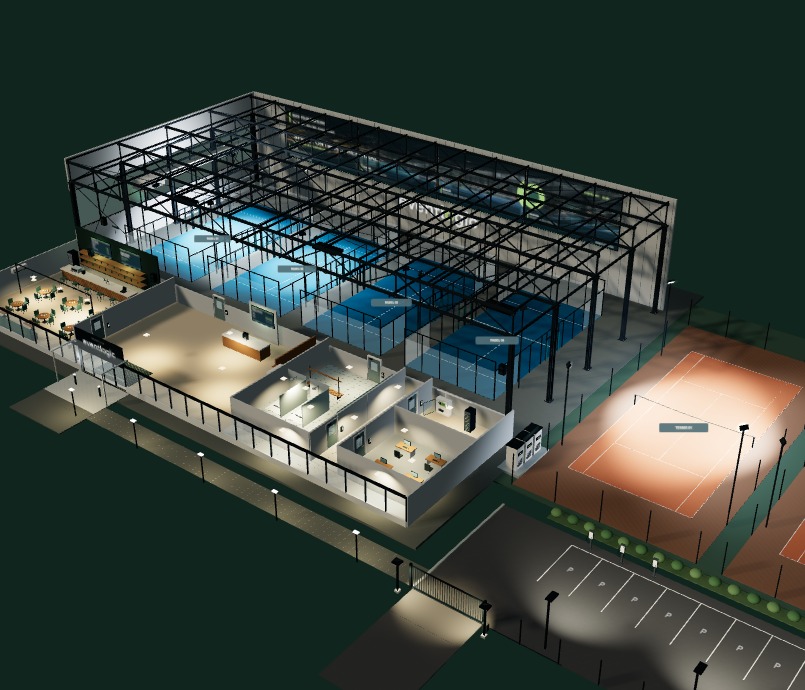
Local control in practice
See what the systems do on the club grounds.
Follow how a booking leads to access and lighting in the interactive club. The demo shows how the schedule and installation work together.
Open the club demoInteractive simulation of booking, arrival, access and lighting.
Technical advice
How does SmartClub G1 connect to your installation?
Discuss your booking software, building management system and control requirements with us. Together, we determine suitable integrations and the technical setup.
Discuss the technical integration